How to Use AI for Lesson Planning: A Simple Guide for Educators




How to Use AI for Lesson Planning: A Simple Guide for Educators
how-to-use-ai-for-lesson-planning
Author
Life Hub Editorial
Tags
lesson planning, AI in education, teaching tools, Edu Jobs, financial literacy for kids
Meta Title
How to Use AI for Lesson Planning | Save Time with Life Hub
Meta Description
Learn how to use AI for lesson planning to save time. Discover simple prompts, strategies, and how Life Hub provides ready-made learning tasks for your learners.
Educators today face a major challenge. You have limited time but need to create engaging lessons. Artificial Intelligence (AI) can help you reclaim your schedule. It acts as an assistant to draft ideas, build quizzes, and organize topics. However, using new tools can feel overwhelming. The key is to start with simple tasks. Life Hub is a web and mobile app for kids and young people ages 6 to 18 that builds money skills, career readiness, and real-world capability through paid micro-learning tasks called Edu Jobs. By combining AI tools with structured platforms like Life Hub, you can focus more on teaching and less on paperwork.
Why Use AI for Lesson Planning?
Planning a single unit can take hours. You have to align standards, find resources, and create assessments. AI speeds this up significantly. It processes information faster than a human can type.
AI does not replace your expertise. It supports it. You provide the direction, and the computer does the heavy lifting. This gives you more energy for your learners.
Benefits of AI in planning:
- Speed: Generate outlines in seconds.
- Variety: Get ten ideas instead of one.
- Differentiation: Adjust reading levels instantly.
- Resources: Create quizzes and rubrics quickly.

5 Ways to Use AI for Lesson Planning
You do not need to be a tech expert. You only need to know how to ask the right questions. We call these questions "prompts." Here are five concrete ways to use AI today.
1. Brainstorming Topic Ideas
Sometimes you get stuck. You know the subject, but you need a fresh angle. Ask the AI for help.
Example Prompt: "Give me 5 creative ways to teach the water cycle to Grade 8 learners. Include hands-on activities."
2. Drafting Lesson Outlines
AI can structure your class time. It can break down a topic into manageable chunks.
Example Prompt: "Create a lesson outline for a 45-minute class on financial literacy. Cover saving, spending, and compound interest."
3. Creating Quizzes and Assessments
Writing test questions is tedious. AI can generate them instantly based on your text.
Example Prompt: "Write 5 multiple-choice questions about the American Revolution. Include an answer key."
4. Adjusting Reading Levels
You may have a complex text that is too hard for some learners. AI can rewrite it to match their level.
Example Prompt: "Rewrite this paragraph to be readable for a Grade 6 learner."
5. Building Rubrics
Grading criteria should be clear. AI can build a table for you.
Example Prompt: "Create a grading rubric for an oral presentation. Use categories for volume, clarity, and content."
Life Hub: The Ultimate Planning Shortcut
Using AI creates content, but you still have to deliver it. Life Hub offers a different solution. It provides the content ready-to-go. This saves you from planning the lesson from scratch.
Life Hub focuses on essential life skills. This includes personal finance, career readiness, and AI literacy. Instead of writing a lesson plan on "How to Budget," you assign the Budgeting Edu Job on Life Hub.
How Life Hub Works
Life Hub connects effort to reward. It makes learning tangible for the learner. The process is simple and transparent.
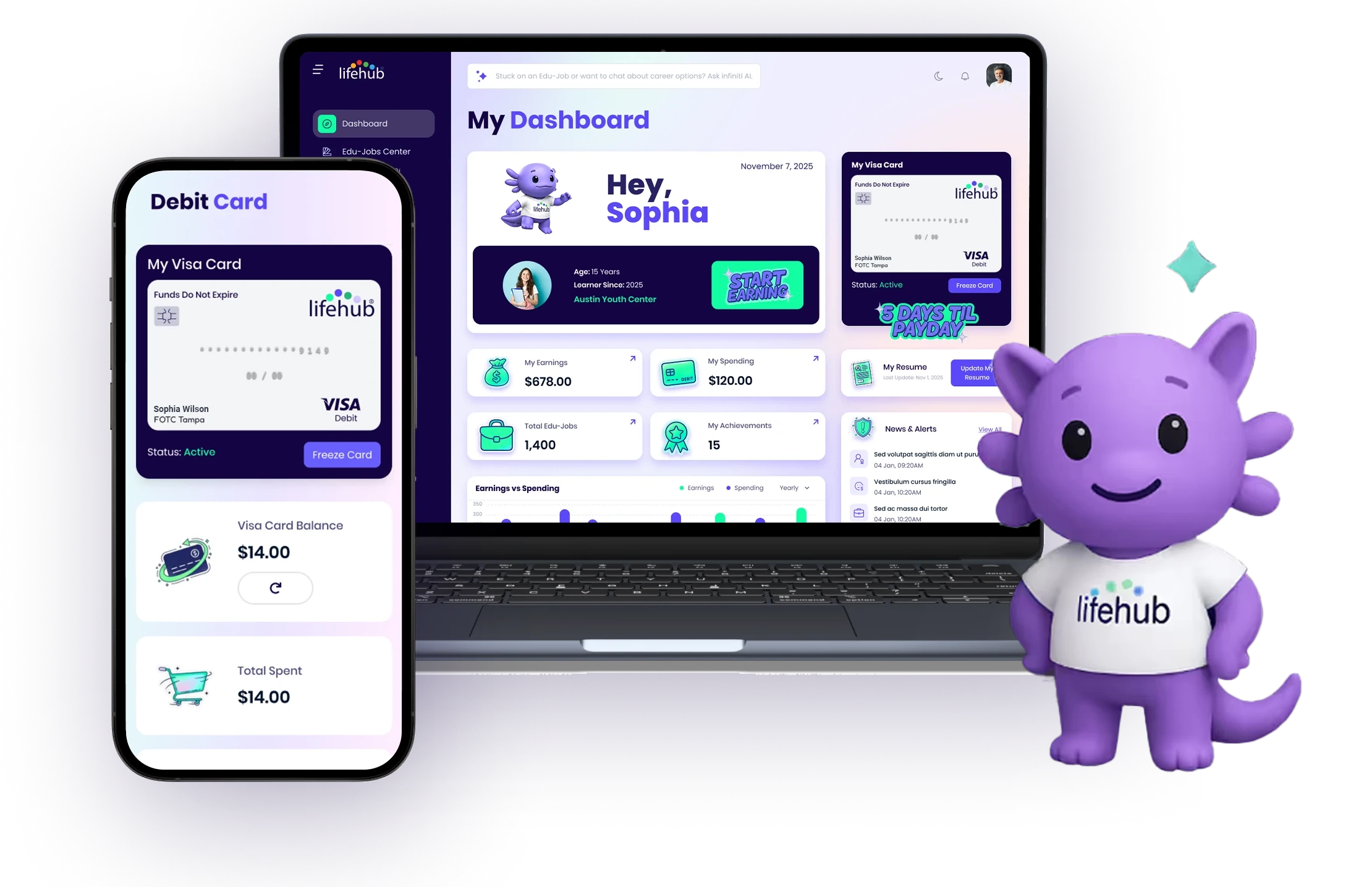
- Learner Completes an Edu Job: The learner selects a task from topics like Core Academics, STEM, or Personal Finance.
- Review and Approval: An adult (teacher, parent, or program leader) reviews the work. You check if it meets the standard.
- Earnings Deposited: Once approved, the earnings move to the learner's account.
- Real-World Access: Funds load onto a Life Hub Visa debit card. This teaches real money management.
- Funding Sources: The money comes from a parent, school, youth organization, or corporate sponsor.

Who This Is For
Life Hub serves the entire community. It bridges the gap between home and school.
- Families: Parents use it to manage chores and allowance while teaching financial skills.
- Schools: Teachers use Edu Jobs to supplement curriculum without extra planning.
- Youth Organizations: Clubs use it to track participation and reward skill building.
- Corporate Sponsors: Companies fund Edu Jobs to invest in the future workforce.
Comparing Tools for Educators
There are many tools available. It helps to know which one fits your needs.
Tool Type
Examples
Best Use Case
Generative AI
ChatGPT, Gemini
Drafting text, brainstorming ideas, creating quizzes.
Learning Platforms
Life Hub
Assigning complete, pre-made tasks with real-world rewards.
LMS
Canvas, Google Classroom
Organizing grades and assignments.
Generative AI helps you write the plan. Life Hub is the plan for specific topics. Using them together works well. You might use AI to introduce a topic, then use Life Hub for the practical application.
Best Practices When Using AI
AI is powerful, but it makes mistakes. Always review the output. Here are three rules to follow.
Check the Facts
AI can invent information. This is sometimes called "hallucinating." If you ask for historical dates or scientific facts, verify them.
Keep the Human Tone
AI writing can sound robotic. Add your own voice. Use examples from your specific class. Your learners respond to you, not a machine.
Focus on Privacy
Do not put private learner data into a public AI tool. Keep names and grades out of your prompts. Life Hub creates a secure environment for learner data, which protects their privacy.
Getting Started Today
You can start small. Open an AI tool and ask for one lesson idea. See what it produces. If it saves you ten minutes, that is a win.
For topics like financial literacy or career readiness, look at Life Hub. It offers a structured path that requires zero planning time from you. You assign the Edu Job, and the learner gets to work. This allows you to facilitate learning rather than just delivering content.
Technology should make your life easier. Whether through generative AI or platforms like Life Hub, these tools are here to support you.
FAQ Schema JSON-LD
{"@context": "https://schema.



Ready to Chat about Life Hub?
Whether you're parents, or a homeschool family, Life Hub is your partner to help you
raise super strong kids.

.svg)

.svg)


.svg)
.svg)

.svg)