Your Dashboard
Learner
/
Dashboard
Your Dashboard is your home page in Life Hub. It gives you a complete overview of your earnings, spending, achievements, and available tasks.
Your Dashboard is your home page in Life Hub. It gives you a complete overview of your earnings, spending, achievements, and available tasks.
Welcome Section
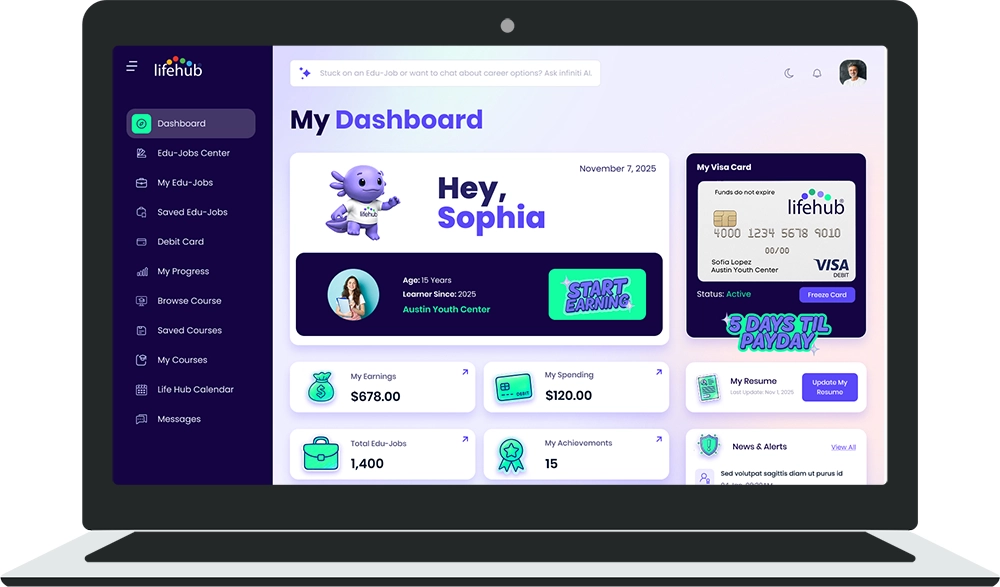
When you first log in, you'll see a personalized welcome:
▫️ "My Dashboard" heading at the top.
▫️ Greeting — "Hey, [Your Name]".
▫️ Today's date — So you always know what day it is.
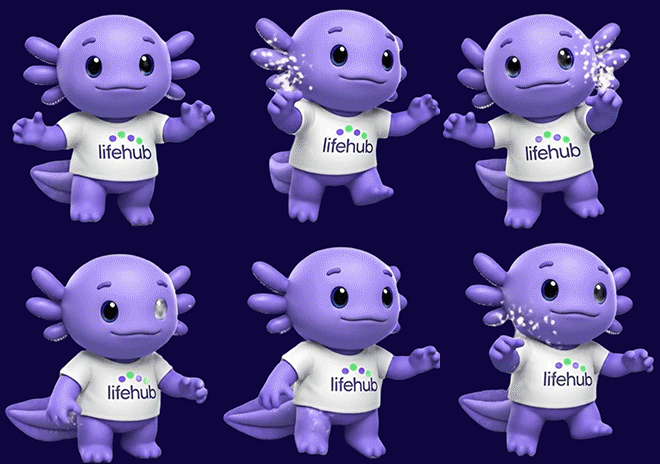
▫️ Life Hub mascot — A friendly character to keep you company.
This section sets a welcoming tone and reminds you what you're working toward.
Your Profile Card
On the left side of your Dashboard, you'll find your profile card displaying:
▫️ Avatar photo — Your profile picture.
▫️ Age — Your current age.
▫️ Learner Since — The year you joined Life Hub.
▫️ Username — Your unique account name.
🚀 START EARNING button — Jumps directly to the Edu-Jobs Center to browse available tasks.
This card lets you quickly jump into action or see when you started your learning journey.
My Visa Card Widget
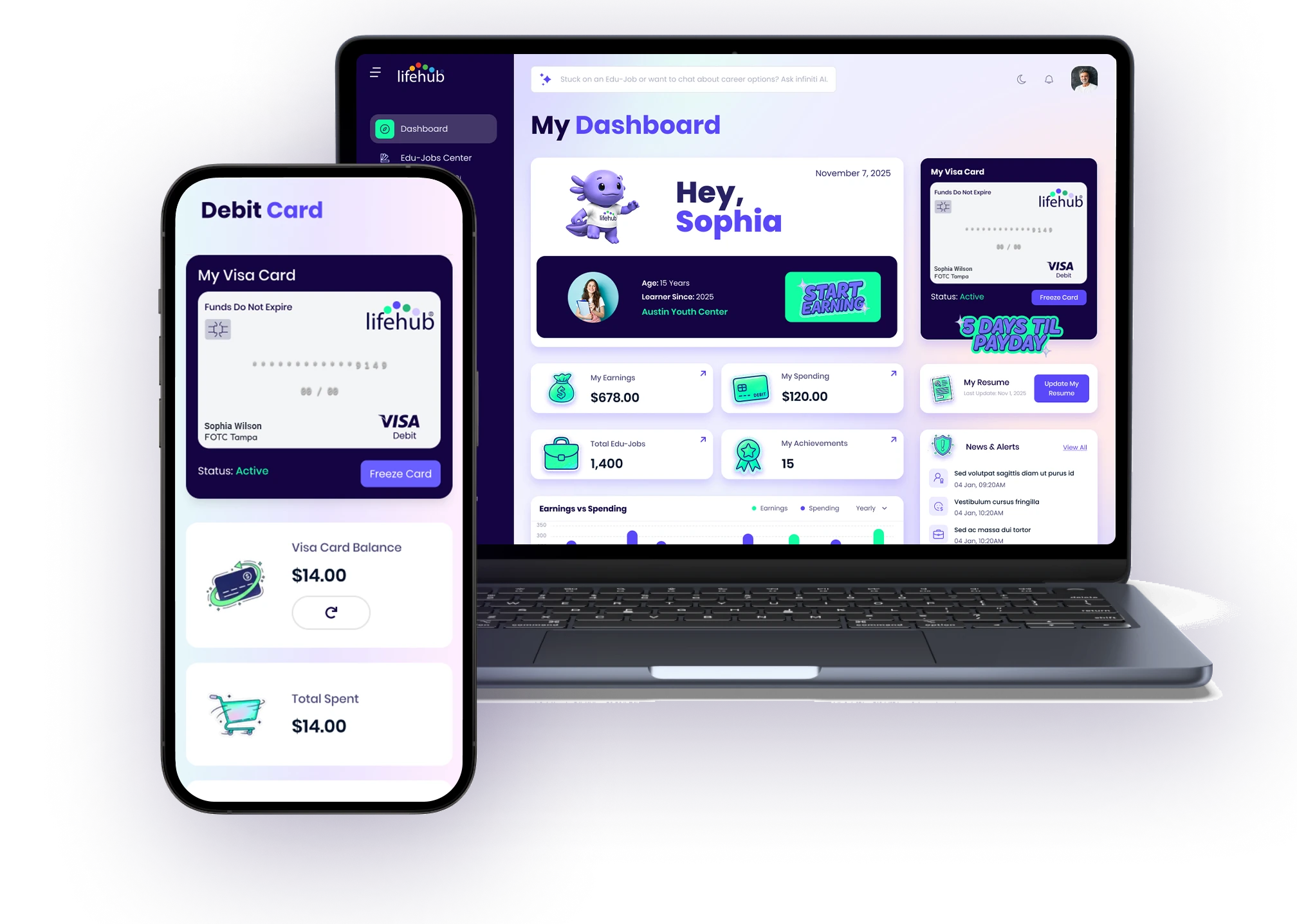
On the right side of your Dashboard, you'll see your prepaid Visa debit card:
▫️ Card image — Visual representation of your Life Hub branded Visa card.
▫️ Visa Debit logo — Shows this is a real prepaid Visa card.
▫️ Masked card number — Your card number with most digits hidden for security (e.g., ***1234).
▫️ "Funds Do Not Expire" label — Money on your card stays there indefinitely.
▫️ Status — Shows if your card is Active or Inactive.
Stats Row 1
Below your profile and card, you'll see your first row of statistics:
My Earnings
🔹 Displays your total earnings to date as a dollar amount.
🔹 Includes an arrow icon to drill into detailed earnings history.
My Spendings
🔹 Shows your total amount spent from your Visa card.
🔹 Click to see where you've spent money.
My Resume
🔹 Displays your Life Hub resume (skills and achievements you've built).
🔹 Update My Resume button — Click to edit what's on your resume.
🔹 Last update date — When you last changed your resume.
Stats Row 2
The second row shows your progress and activity:
Total Edu-Jobs
🔸 Count of how many Edu-Jobs you've completed overall.
🔸 Arrow icon to see the full list in "My Edu-Jobs".
My Achievements
🔸 Number of badges, certificates, or milestones you've earned.
🔸 Click to view all your achievements.
News & Alerts
🔸 Important updates about your account, new Edu-Jobs, or platform changes.
🔸 View All link — See all recent news and alerts.
Earnings vs Spending Chart
The chart displays your financial activity over time:
📈 Green bars — Your monthly earnings from completed Edu-Jobs.
📉 Blue bars — Your monthly spending from your Visa card.
📅 Monthly dropdown — Change the time period to see Weekly, Monthly, Quarterly, or Yearly trends.
Featured Edu-Job Card
This card spotlights a recommended Edu-Job:
🌟 Title — Name of the featured Edu-Job.
📝 Description — Brief summary of what the task involves.
💰 Earning amount — How much you'll make if you complete it.
🚀 START EARNING button — Launch the Edu-Job immediately.
Monthly Challenge Card
Life Hub often runs monthly challenges with extra rewards:
📅 Month — Which month the challenge is for.
🏆 Challenge description — What you need to do (e.g., "Complete 20 Edu-Jobs").
🎁 Earning reward — The bonus money or badge you'll get for completing it.
🔘 Button status — Shows "Coming Soon" or an active button if live.
Messages Widget
At the bottom of your Dashboard:
💬 View All link — See your complete message history.
👤 Recent message contacts — Shows people who've messaged you recently.
🏷️ Role — What they do (e.g., Organization Admin).
🕒 Time ago — When they last messaged (e.g., "2 hours ago").
Tips
💡 Check your Dashboard daily to see your progress.
💡 Click on stat numbers to drill into details and understand your activity.
💡 Update your resume regularly to reflect new skills you're building.
💡 Watch for new Featured Edu-Jobs and Monthly Challenges for extra earning opportunities.
💡 Use the Earnings vs Spending chart to budget and understand your financial habits.

%201.jpg)

Ready to Chat about Life Hub?
Whether you're a parent, teacher, or partner—there’s a path for you.

.svg)

.svg)


.svg)
.svg)

.svg)