Getting Started with Life Hub
Learner
/
Getting Started with Life Hub
Life Hub is a learn-and-earn platform that rewards you for building real-world skills. Complete educational tasks called Edu-Jobs and earn money directly onto a prepaid Visa debit card.
Life Hub is a learn-and-earn platform that rewards you for building real-world skills. Complete educational tasks called Edu-Jobs and earn money directly onto a prepaid Visa debit card.
What is Life Hub?
Life Hub connects learning with real earnings. Instead of just watching videos or taking quizzes for grades, you:
🔹 Browse Edu-Jobs - Find educational tasks across different topics and skills
🔹 Complete tasks - Take courses, play games, watch videos, or solve problems
🔹 Submit your work - Turn in completed Edu-Jobs for review
🔹 Get approved and earn - When approved, money loads onto your Visa debit card
It's learning that pays. Every Edu-Job has a earning value, so you know exactly what you'll make before you start.
How to Log In
To access your Life Hub account:
🔹 Go to the Life Hub login page
🔹 Enter your username
🔹 Enter your password
🔹 Complete the reCAPTCHA verification
🔹 (Optional) Check "Remember this device for 30 days" to skip login on your current device next time
🔹 Click the Login button
Login Options
🔹 Standard login - Use your username and password (steps above)
🔹 Sign in with LDAP - If your school or organization uses LDAP authentication, click this option
🔹 Forgot your password? - Click the link to reset your password via email
Navigation Layout
Once logged in, you'll see the Life Hub interface organized into two main areas:
Left Sidebar (Dark Navy)
The navigation menu on the left contains all major sections:
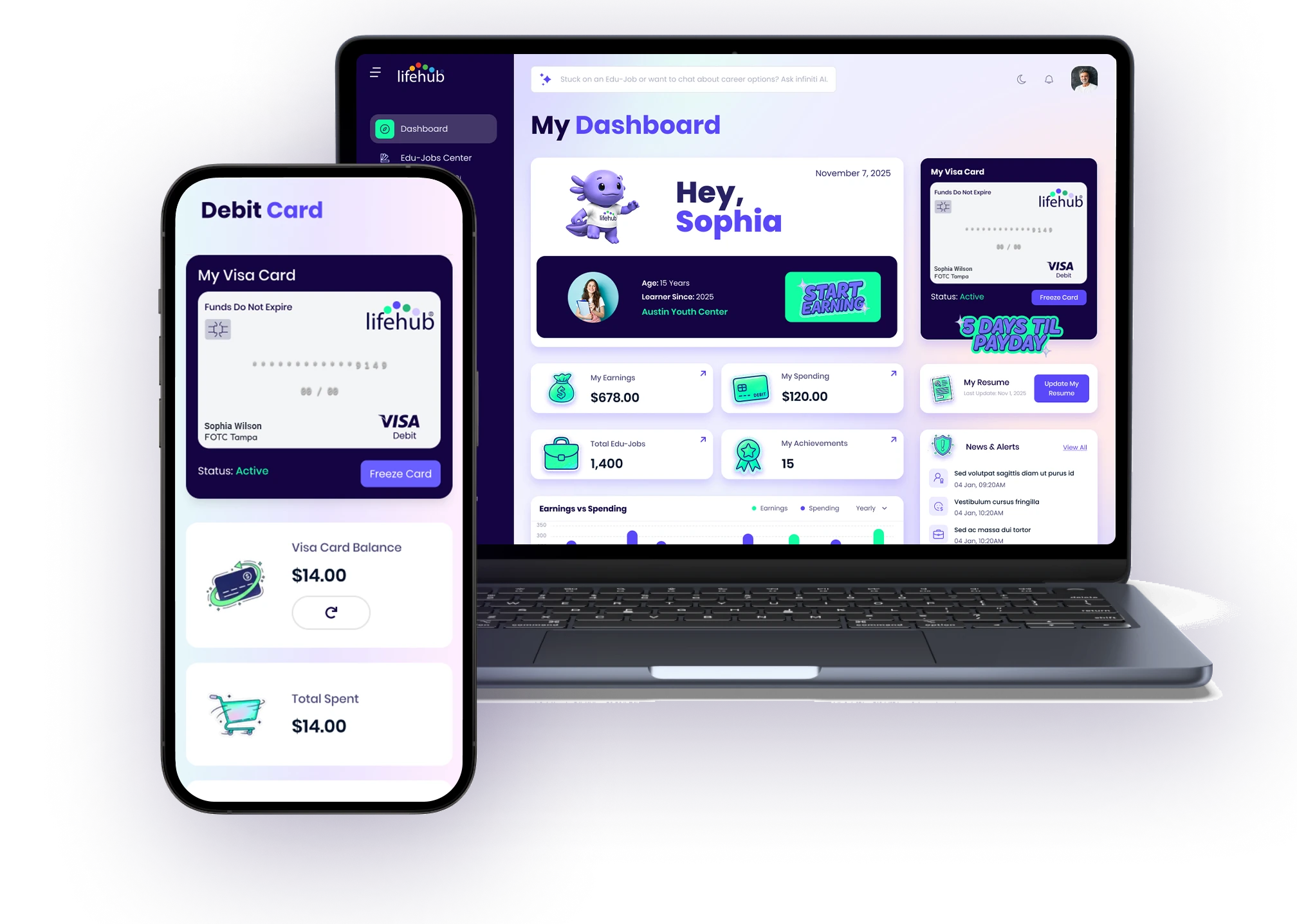
🔹 Dashboard - Your home page with earnings overview
🔹 Edu-Jobs Center - Browse and discover available Edu-Jobs
🔹 My Edu-Jobs - Track all Edu-Jobs you've started, completed, or submitted
🔹 Saved Edu-Jobs - View your bookmarked Edu-Jobs for later
🔹 Debit Card - Manage your Visa card and earnings
🔹 Browse Courses - Find structured learning paths bundling multiple Edu-Jobs
🔹 Saved Courses - Your bookmarked courses
🔹 My Courses - Courses you're enrolled in or have completed
🔹 My Calendar - View your scheduled Edu-Jobs and deadlines
🔹 Messages - Communicate with support and instructors
🔹 Technical Support - Get help with platform issues
Top Navigation Bar
At the top of every page:
🔹 Life Hub logo (top-left) - Click to return to Dashboard from anywhere
🔹 Hamburger menu - Collapse or expand the left sidebar to save screen space
🔹 Search bar - "Ask Fini Learning Coach Anything" - Our AI chatbot that answers questions about the platform and your learning
🔹 Help icon (?) - Quick access to support articles
🔹 Bell icon - Notifications about your Edu-Jobs, messages, and account updates
🔹 Profile avatar - Click to view your profile settings and account options
Footer
Every page includes footer links:
🔹 Help - Browse knowledge base articles
🔹 Privacy Policy - Review how we handle your data
🔹 Cookie Notice - Learn about cookies we use
🔹 Security - Read our security practices
🔹 Terms of Use - Understand the terms of service
Copyright © 2026 Electus Global Education Co, Inc.
Next Steps
Ready to start earning? Here's what to do next:
🔹 Go to your Dashboard to see your profile and available earnings
🔹 Head to Edu-Jobs Center to browse available tasks
🔹 Pick an Edu-Job that interests you and click START EARNING
🔹 Complete the task and submit it for review
🔹 Once approved, watch your earnings appear on your Visa card
Tips
💡 Use the search bar to ask Fini Learning Coach questions about any feature
💡 Check Messages regularly for feedback on submitted work
💡 Explore My Calendar to schedule Edu-Jobs in advance
💡 Save interesting Edu-Jobs in Saved Edu-Jobs for later

%201.jpg)

Ready to Chat about Life Hub?
Whether you're a parent, teacher, or partner—there’s a path for you.

.svg)

.svg)


.svg)
.svg)

.svg)